Thursday, 30 August 2018

Monday, 20 August 2018
Saturday, 11 August 2018
Brother DCP L2541,HL-2250DN, HL-2240D, DCP-7060D, DCP-7065DN, MFC-7360, MFC-7860DW, printer toner reset solution
1.open the front door of printer
2 press long "OK" Button
3 on display sow on drum reset yes or no
4 press start green button
5 then arrow+ press up and - down
5 on display sow 00 accept
6 close the front door
7 ur printer is reset fully u can use now
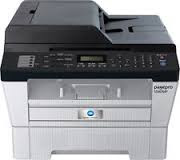
1.open the front door of printer
2 press long "OK" Button
3 on display sow on drum reset yes or no
4 press start green button
5 then arrow+ press up and - down
5 on display sow 00 accept
6 close the front door
7 ur printer is reset fully u can use now

Monday, 23 July 2018
How to reset brother hl 2321 toner cartridge
1. Open the front door of printer
2. Turn the printer off.
3. Hold the 'go' button while turning the printer on. All panel
lights should be on
4. Release the 'go' button.
5. Press the 'go' button 2 times.
6.’Pause”. Press the 'go' button 5 times.
7. The toner light should be off.
8. The paper light should be on or flashing.
9. Close printer front door
10. Your printer ready to use complete reset ur printer

Wednesday, 11 July 2018

Friday, 22 June 2018


Subscribe to:
Posts (Atom)